29 October 2026 · 7 min read · Serkan İnkaya · Mechanical Engineer, ODTÜ
What is a false reject, and why tune it differently from an escape?
A false reject is a good part the unit stops; an escape is a bad part it passes. The two errors are not symmetric, and they are not fixed the same way. An escape is a safety and quality failure that reaches your customer, so you tune to drive it toward zero. A false reject wastes a good part and slows the line, so you tune it down without giving up the escape rate you fought for.
That tension is the whole reason to work a false-reject problem carefully instead of just loosening the setting. On a live cap-inspection line, Adente Vision held a 99.65% F1-score with a 0.69% false-negative rate, and that balance is the target: a low escape rate held steady while false rejects come down. A careless threshold nudge to clear false rejects can quietly raise escapes back up, which trades a cheap error for an expensive one.
Adente Vision is an edge-AI visual inspection unit built by ADENTE Advanced Engineering Technologies, part of the Aden Group, sold through automation system integrators, and troubleshooting is where that on-line, on-device design pays off: the evidence you need to find the cause is already on the unit, in the preview and the reject log, not in a cloud console.
What is the right diagnostic order for a false-reject cluster?
Work the cheap, physical causes before the model, because that is where most false rejects come from. The order is lighting, then part presentation and fixturing, then trigger timing, then the decision threshold, and only then the model itself. Each step is faster to check and cheaper to fix than the one after it, so a fixed order finds the cause with the least effort.
Lighting comes first because it is the most common culprit and the easiest to miss. A lamp that has aged, a shift change that turned an overhead light on or off, or a warm-up drift over the first hour will change how a good part looks and trip the anomaly check. Part presentation is next: a part sitting slightly rotated, shifted, or reflective in the fixture is a good part that no longer matches the reference. Trigger timing follows, because a capture fired a few milliseconds early or late frames the part wrong. Threshold comes fourth, and the model, a retrain, comes last, only after the physical line is ruled out.
Resist the urge to retrain first. Retraining a model to accept a badly lit or mispresented part teaches it to tolerate the fault, which raises escapes elsewhere. Fix the line, then decide whether the model still needs anything.
False-reject causes, checks and fixes
This table follows the same order: cheapest and most common first. Work top to bottom and stop when the rejects clear.
| Likely cause | How to check | Typical fix |
|---|---|---|
| Lighting drift or a changed lamp | Compare the dashboard reject image to a known-good capture; watch for warm-up over the first hour | Restore the configured lighting; re-baseline if the change is permanent |
| Part presentation or fixturing | Look for rotation, shift or glare in the reject image versus the reference | Correct the fixture or feed; confirm on the on-device preview |
| Trigger timing | Check the part is centred and fully in frame at capture | Re-align the encoder or photoelectric trigger offset |
| Decision threshold too tight | See whether rejects cluster just past the pass boundary | Adjust the operating point with the escape rate held, not by feel |
| Genuinely new defect or revision | Confirm the rejects are real, not good parts | Re-baseline or retrain from about 20 reference images |
How do the on-device preview and dashboard reject images help?
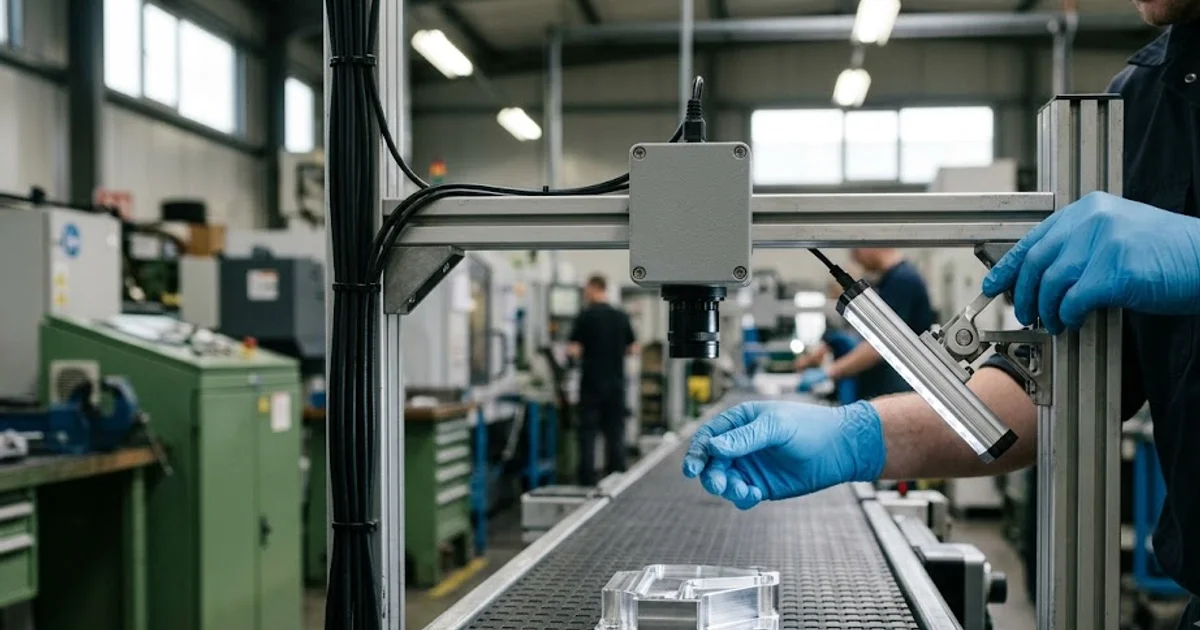
The fastest diagnostic tool is seeing exactly what the unit saw. The on-device preview shows the live frame with no laptop, so an engineer at the station can watch a part index into view and spot glare, a shadow, or a framing problem in seconds. That is the difference between guessing at a false reject and reading its cause off the screen.
The dashboard adds history. Every reject is stored with its image and reason, so a cluster is visible as a set of look-alike captures rather than a vague complaint that the line is over-rejecting. When ten rejects share the same shadow across the same corner, the cause is lighting, not the model, and the image proves it. Because lighting on the unit is configurable in colour and angle, the fix is often to restore or re-set the light rather than touch the AI at all.
Use the preview to reproduce the reject live and the reject log to confirm it is a pattern, not a one-off. A single false reject is noise; a logged pattern with a shared visual cause is a diagnosis. Telling ordinary variation from a genuine shift is the whole subject of the NIST/SEMATECH e-Handbook chapter on process or product monitoring and control, and the reject log is what lets you make that call at the station.
When is the fix a re-baseline, and when a full retrain?
Re-baseline when the good part has changed but is still good; retrain when a genuinely new condition appears. A permanent lighting change, a new material lot with a different sheen, or a fixture moved for good all mean the reference no longer matches reality, so you recapture good parts and re-baseline the normal. That is a short capture step, not a modelling project.
A full retrain is for a new defect class, a part revision, or a new SKU, and it starts from about 20 reference images with training completing under 48 hours. Because the model trains on good parts only, you are not assembling a defect catalogue first, and because updates load by USB stick the unit can be corrected on an air-gapped line without a cloud connection. The rule stays the same throughout: change the model only after the physical line is clean, so you never teach the AI to accept a fault. For the metric behind all of this, why a low false-negative rate is the number to protect while you cut false rejects, see the sibling post on false-negative rate as an inspection metric and the pillar guide on AI visual inspection. If the rejects appeared right after a part or season change, see the changeover and seasonal switchover post.